

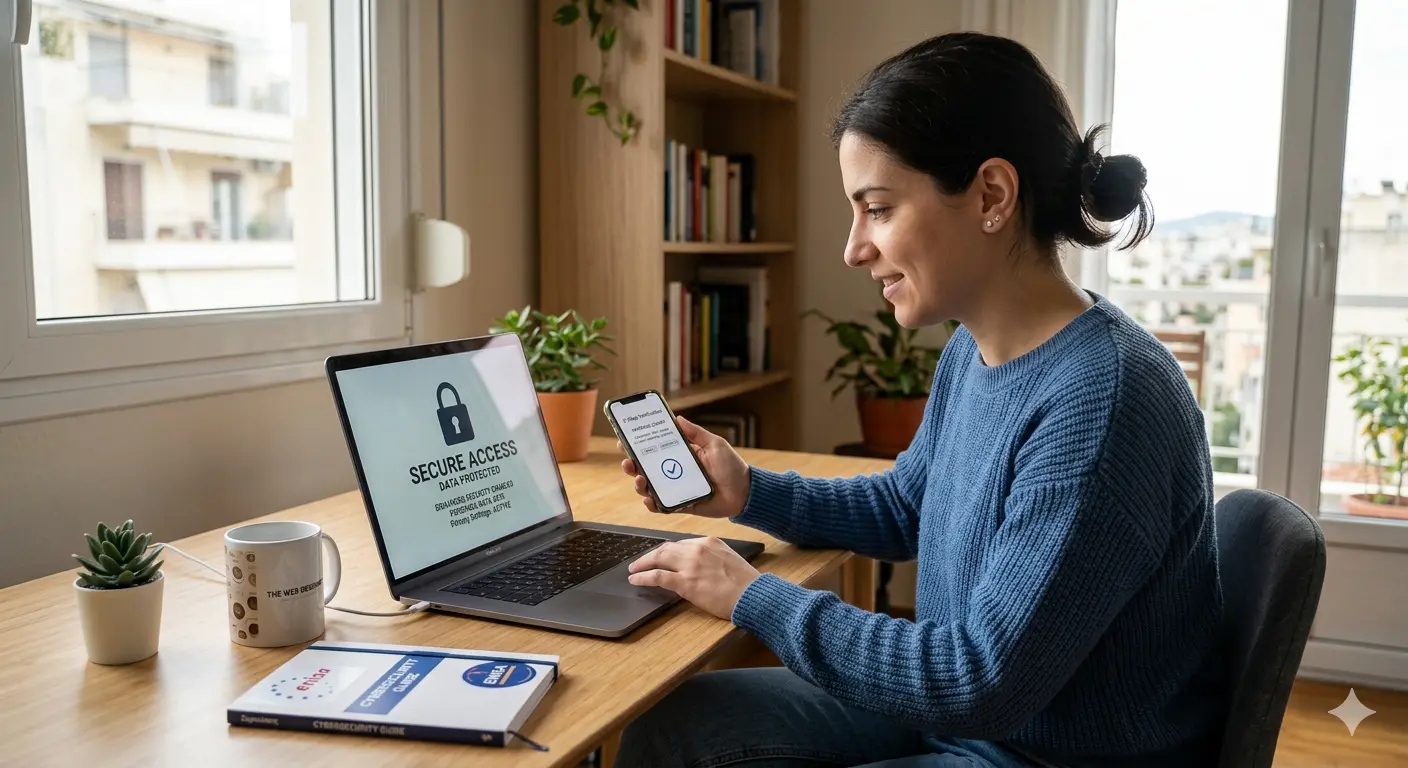
Using the internet has become so normal that most of us barely notice how much information we share every day. We search for answers, buy products, log in to apps, fill in forms, use social media, read the news, send messages, accept cookies, save passwords, and move between websites without always thinking about the digital trail we leave behind.
Some of that information is obvious: your name, email address, phone number, payment details or home address. But personal data online can also include details that feel less visible, such as your IP address, device information, location data, browsing behaviour, search history, cookies and advertising identifiers.
Protecting personal data is not only a legal issue for companies. It is also a practical everyday concern for anyone who uses the internet. The more we understand how data is collected and used, the easier it becomes to make better choices.
What is personal data?
Under the EU’s General Data Protection Regulation, better known as GDPR, personal data means any information relating to an identified or identifiable natural person. In simple terms, this means information that can identify you directly, or information that can identify you when combined with other details. The GDPR definition includes identifiers such as a name, identification number, location data, online identifier, or factors linked to a person’s physical, genetic, mental, economic, cultural or social identity.
This is important because personal data is not limited to what appears on an ID card. An email address can be personal data. A phone number can be personal data. A photo can be personal data. In many cases, even technical information such as an IP address or cookie identifier can become personal data if it can be connected to a person.
The European Commission also explains that different pieces of information, when collected together, may allow someone to identify a specific person. That is why privacy is not only about one single field in a form. It is also about how separate details are combined, stored and interpreted.
Examples of personal data
Personal data can appear in many forms. Some examples are straightforward: your full name, home address, email address, phone number, date of birth, payment information or account login details.
But the digital world has expanded what personal data can look like. Your device type, browser, IP address, location, shopping history, search behaviour, social media activity and cookie preferences can also say something about you. A single detail may not reveal much. But when enough details are collected together, they can build a surprisingly accurate profile of your habits, interests and identity.
There are also special categories of personal data that require stronger protection. These include data revealing racial or ethnic origin, political opinions, religious or philosophical beliefs, trade-union membership, genetic data, biometric data used for identification, health data, and information about a person’s sex life or sexual orientation. The European Commission treats these as sensitive because misuse could create serious risks for the individual.
Why personal data matters
Personal data has value because it helps organisations understand people. Used responsibly, it can make online services more useful. A website can remember your language preference. An online store can process your order. A bank can protect your account. A newsletter can send information you asked to receive.
The problem begins when data is collected without clarity, stored carelessly, shared too widely, or used in ways people do not reasonably expect. For advertisers, personal data can help build targeted campaigns. For platforms, it can improve engagement. For cybercriminals, however, the same data can be used for phishing, identity theft, fraud or account takeover.
That is why privacy should not be treated as a small technical detail. It is part of trust. When people visit a website, submit a contact form, accept cookies or create an account, they are trusting that their information will be handled responsibly.
At The Web Designer, this is an important part of how we think about modern websites. A professional website is not only about good design and speed. It should also include secure connections, clear privacy notices, sensible contact forms, proper cookie consent where needed, and a structure that respects the visitor. Privacy is not separate from good web design; it is part of it.
How personal data is collected online
Personal data is collected in many ways. Some are direct and easy to understand. Others happen quietly in the background.
Through forms and account sign-ups
The most obvious collection happens when you give information directly. This may be through a contact form, newsletter sign-up, checkout page, booking system, customer account or support request.
For example, when you ask a business for a quote, you may enter your name, email, phone number and message. That information is personal data. The website owner should collect only what is necessary, explain why it is being collected, and protect it properly.
This is also why contact forms should not be treated casually. A simple form can still collect sensitive information depending on what the visitor writes. Good website practice means using secure forms, clear consent language where appropriate, spam protection that does not over-collect data, and proper handling of submitted messages.
Through cookies and tracking technologies
Cookies can be useful. They can keep you logged in, remember preferences, support analytics, improve website functionality and help businesses understand how visitors use a site.
But cookies can also be used for advertising, profiling and cross-site tracking. This is where transparency matters. Users should know what kind of cookies are being used, why they are being used, and whether they can choose to accept or reject them.
When consent is used under GDPR, it must be freely given, specific, informed and unambiguous. The European Data Protection Board explains that consent requires a clear affirmative action from the user, not silence or confusion.
Through apps and permissions
Mobile apps often ask for access to location, contacts, camera, microphone, photos or files. Sometimes this access makes sense. A maps app needs location. A video call app needs camera and microphone access.
But not every permission request is necessary. If an app asks for access that does not match its purpose, it is worth pausing. You do not need to say yes to everything. Reviewing app permissions regularly is one of the easiest ways to reduce unnecessary data exposure.
Through social media activity
Social media platforms collect a large amount of information through posts, likes, comments, shares, private messages, groups, photos, tags, reactions and viewing behaviour.
Even when you do not write something sensitive, your activity can reveal your interests, relationships, location, routine, political views, shopping habits and lifestyle. Over time, these signals form a detailed digital profile.
This does not mean you should stop using social media. It means you should use it with awareness. Before posting something publicly, ask yourself whether you would be comfortable with that information being seen, copied or saved outside your control.
Through your device and browser
Websites and online services may collect technical information such as your IP address, browser type, operating system, screen size, device model, language settings and general location.
Some of this information is used for security, analytics or compatibility. For example, a website may need to know whether you are browsing from a phone or desktop so it can display correctly. But when technical signals are combined with cookies and behavioural data, they can contribute to identifying or profiling users.
What is GDPR and why does it matter?
GDPR stands for General Data Protection Regulation. It is the European Union’s main data protection law and sets rules for how personal data should be collected, used, stored and protected. It applies across EU member states and has been enforceable since 25 May 2018.
The GDPR matters because it treats personal data as part of a person’s rights, not just as business information. It does not say that organisations can never collect data. Instead, it says they must have a lawful basis, be transparent, collect only what is necessary, keep data secure, and respect the rights of individuals.
For website owners, GDPR changed how privacy should be approached. A website that collects enquiries, uses analytics, runs advertising pixels, stores customer accounts or offers newsletter subscriptions needs to think carefully about privacy notices, consent, security and data handling.
For users, GDPR gives more control. It helps people understand what is being collected, why it is being collected, and what they can ask organisations to do with their information.
What rights do people have under GDPR?
GDPR gives individuals several important rights. These include the right to be informed, the right of access, the right to rectification, the right to erasure, the right to restriction of processing, the right to data portability, and the right to object in certain situations. The European Commission provides an overview of these rights and how they apply to individuals.
In practical terms, this means you may be able to ask an organisation what personal data it holds about you. You can ask for incorrect data to be corrected. In some cases, you can ask for your data to be deleted. You can also object to certain uses of your data, especially direct marketing.
These rights are not abstract legal theory. They are practical tools. If a company sends you unwanted marketing, stores outdated information, or refuses to explain how your data is used, GDPR gives you a framework to ask questions and take action.
The biggest risks to personal data online
The biggest privacy risks do not always come from dramatic hacking scenes. In everyday life, data problems often happen because of weak passwords, reused passwords, phishing emails, unsafe links, outdated software, over-sharing on social media, careless app permissions or poorly secured websites.
A common example is password reuse. If you use the same password across multiple accounts and one service is breached, attackers may try the same password on your email, bank, social media or business tools. That is how one small mistake can become a much bigger problem.
Phishing is another major risk. A fake email or message may look like it comes from a bank, delivery company, government service or platform you trust. It may pressure you to click quickly, confirm your password, pay a fee or download a file. The goal is usually to steal login details or financial information.
The U.S. Federal Trade Commission warns that online accounts often contain a lot of personal information and recommends strong passwords and two-factor authentication as important protective steps.
How to protect your personal data online
You do not need to be a cybersecurity expert to protect yourself better. Most improvements come from simple habits repeated consistently.
Use strong and unique passwords
A strong password should be difficult to guess and should not be reused across different accounts. The most practical way to manage this is by using a reputable password manager. It can create and store unique passwords for each service, so you do not need to remember them all.
The important point is not only password strength. It is uniqueness. One strong password reused everywhere is still risky. If it leaks once, every account using it becomes vulnerable.
Turn on two-factor authentication
Two-factor authentication, also called 2FA or multi-factor authentication, adds another layer of protection beyond your password. This may be a code from an authentication app, a security key, a biometric check or another verification method.
CISA explains that MFA can make accounts much more secure because it requires more than a password alone. Even if someone steals your password, they still need the second factor to get in.
Be careful with phishing messages
Before clicking a link in an email or message, slow down. Look at the sender, the wording, the link destination and the request itself. Phishing messages often create urgency: “Your account will be closed,” “Your payment failed,” “You must verify now,” or “You have won a prize.”
If something feels suspicious, do not use the link in the message. Go directly to the official website by typing the address yourself or using a trusted bookmark.
Share less publicly
Many people reveal more than they realise online. A public birthday post, a holiday photo, a workplace update, a child’s school name, or a photo of a document can all expose personal information.
Privacy does not mean hiding from the internet. It means being selective. Share what is useful, but avoid giving strangers information that could help them impersonate you, guess security answers, target you with scams or understand your routine.
Review app permissions
Check which apps can access your camera, microphone, contacts, location and files. Remove permissions that are not necessary. If you no longer use an app, uninstall it.
This small habit matters because many people keep old apps installed for years, even after they stop using them. Each unused app is one more potential point of exposure.
Keep devices and software updated
Updates often include security fixes. Delaying them for too long can leave your device exposed to known vulnerabilities. This applies to phones, computers, browsers, plugins, apps and website systems.
For business websites, this is especially important. A site that runs outdated software, themes or plugins can become a security risk not only for the owner, but also for users who submit information through it.
Use public Wi-Fi carefully
Public Wi-Fi can be convenient, but it is not always safe. Avoid logging in to sensitive accounts or making financial transactions on unknown public networks unless you are using a secure connection and understand the risk.
When possible, use mobile data or a trusted VPN for sensitive activity. Also make sure websites use HTTPS, especially when you enter passwords or payment details.
Read the privacy basics before you agree
You do not need to read every privacy policy like a lawyer. But it is worth checking the essentials: what data is collected, why it is collected, whether it is shared with third parties, how long it is kept, and how you can contact the organisation.
This is especially important when a website asks for more data than seems necessary. A simple download should not always require your phone number, job title, company size and full address.
Privacy and modern website design
For businesses, privacy should be part of the website planning process, not something added at the last minute.
A modern website should be clear about what it collects. Contact forms should ask only for the information needed to respond properly. Newsletter forms should make consent clear. Cookie banners should not be confusing. SSL should be active. Admin accounts should be protected. Software should be updated. Backups should be handled responsibly.
This is where professional web design and privacy meet. At The Web Designer, we see trust as part of the user experience. Visitors are more likely to contact a business when the website feels professional, secure and transparent. A clean design may attract attention, but trust is what helps people take the next step.
Good privacy practices also protect the business itself. A secure, well-maintained website reduces risk, improves credibility and shows visitors that their information is respected.
Data protection is also a personal responsibility
Laws and regulations are essential. Companies must follow the rules. Platforms must improve their practices. Website owners must take privacy seriously.
But users also have a role. Every password you create, every link you click, every app permission you approve, every form you submit and every public post you make can affect your digital privacy.
The goal is not to be afraid of the internet. The goal is to use it with awareness. Good digital habits help you enjoy the benefits of online life while reducing unnecessary risk.
Conclusion
Personal data is part of your digital identity. It is not just information stored somewhere in a database. It can reflect your habits, relationships, interests, movements, purchases, health, finances and everyday choices.
The internet is not automatically unsafe, but it does reward awareness. Understanding what personal data is, how it is collected, what GDPR means, and how to protect yourself gives you more control over your online life.
Privacy is not a one-time task. It is an ongoing habit. The more carefully we treat our personal data, the safer and more confident we become online.
FAQ
What is considered personal data?
Personal data is any information that relates to an identified or identifiable person. This can include obvious details such as your name, email address and phone number, but also less obvious information such as your IP address, location data, cookies, online identifiers or browsing behaviour.
Is an IP address personal data?
An IP address can be personal data when it can identify a person directly or indirectly, especially when combined with other information. GDPR specifically refers to online identifiers as part of the personal data framework.
What is sensitive personal data?
Sensitive personal data includes special categories such as health data, biometric data, genetic data, racial or ethnic origin, political opinions, religious or philosophical beliefs, trade-union membership, and data about a person’s sex life or sexual orientation.
What is the easiest way to protect my online accounts?
Start with strong, unique passwords and enable two-factor authentication wherever possible. These two steps reduce the risk of account takeover significantly, especially if one password is leaked or stolen.
Can I ask a company to delete my personal data?
In many cases, yes. GDPR includes the right to erasure, often called the “right to be forgotten.” This right applies in specific situations, such as when the data is no longer needed for the purpose it was collected, or when processing is unlawful.
Sources
The article was informed by authoritative privacy and cybersecurity sources, including:
- EUR-Lex: The official text of the General Data Protection Regulation.
- European Commission: Guidance on personal data, data protection rights, and sensitive data.
- Federal Trade Commission (FTC): Consumer guidance on protecting personal information.
- CISA: Guidance on multi-factor authentication (MFA).
- The Web Designer: The original Greek article used as the base text for rewriting and improving this English version.